USPS Form 1583 Guide: How to Authorize a Virtual Mailbox
Date Published :
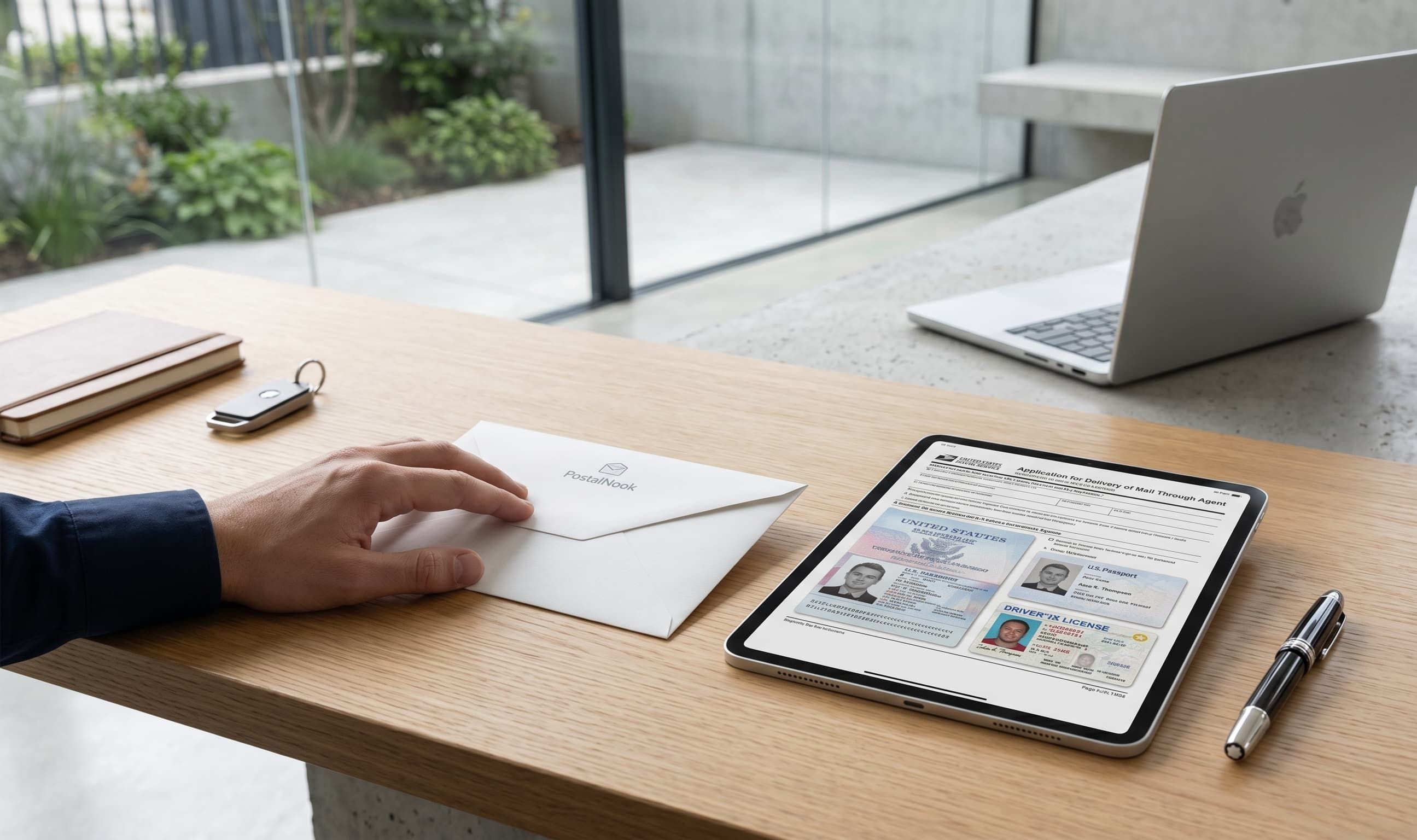
If you are setting up a virtual mailbox, you will inevitably run into a legal roadblock called USPS Form 1583. It looks like a standard piece of government bureaucracy, but without it, no commercial mail receiving agency can legally open or handle your mail.
Simply put, Form 1583 is a United States Postal Service document that authorizes a third party to receive mail on your behalf. Because federal law treats mail theft and identity fraud with extreme severity, the government requires strict verification before anyone else can touch your letters and packages.
Completing this form correctly is the single most important step to unlocking a borderless, digital lifestyle. This guide covers why the form exists, how to fill it out, and how to get it notarized without leaving your desk.
Why Do I Need a 1583 Form?
The United States Postal Service is bound by strict privacy laws. Under federal regulation, your mail belongs exclusively to you. A mail management service cannot simply accept your letters, scan your documents, or forward your packages without explicit, legally binding permission.
Form 1583 grants that permission. It ensures that the person requesting the mail management service is actually who they claim to be. By linking a specific individual or business entity to a physical commercial address, the USPS can track who is receiving mail at any given location.
This process protects you just as much as it protects the postal system. It prevents bad actors from redirecting your bank statements, tax documents, or medical records to an unauthorized address. For remote founders, digital nomads, and expats, it provides a foundational layer of security for their personal and professional correspondence.
What Does Form 1583 Require?
The document itself is relatively short, fitting on a single page, but it requires precise information. Mistakes or mismatched names can delay your account activation by weeks.
The form is divided into three main sections:
- The Mail Agency Info: This identifies your service provider and their specific commercial address.
- The Mail Receiver Info: This is where you enter your personal name, business details, and current address.
- The Verification Identifications: This is the section where you list the specific identification documents used to prove your identity.
The USPS is highly specific about which forms of ID are acceptable. You must provide two forms of identification, and at least one must contain a photograph.
Acceptable Forms of Identification
- Valid driver's license or state ID card
- U.S. or foreign passport
- Alien registration card or certificate of naturalization
- Armed forces, government, university, or recognized corporate ID card
- Current lease, mortgage, or deed of trust
- Voter or vehicle registration card
- Home or vehicle insurance policy
Unacceptable Forms of Identification
- Social Security cards
- Credit cards
- Birth certificates
- Store membership cards
The name on both identification documents must match the name on your mail management application exactly. If your passport uses your full legal name but your utility bill uses a nickname, the USPS may reject the filing.
How to Fill Out the Form Step by Step
When you begin your virtual mailbox sign up process, your provider will often pre populate sections of the form to save you time. However, you are ultimately responsible for the accuracy of the data.
- Box 1: Enter the date you are completing the form.
- Box 2: Write your full legal name or the name of your business entity.
- Box 3: Enter the specific virtual address and mailbox number assigned to you by your mail provider.
- Box 4: Enter the legal name and address of your mail management service.
- Box 5: Sign the form to officially authorize the agent to receive your mail.
- Boxes 6 and 7: Enter your current physical address and contact phone number. This must be a place where you currently reside or do business, not a P.O. Box.
- Box 8: Write down the specific identification types you are providing, along with their serial or document numbers.
- Boxes 9 through 14: Complete these sections only if you are receiving mail on behalf of a business entity. You will need to provide the business name, address, and the names of officers authorized to receive mail.
- Box 15: This section is reserved for the notary public who witnesses your signature.
How to Notarize USPS 1583 Safely
You cannot simply sign Form 1583 and email it to your provider. The USPS requires the form to be signed in the presence of a notary public or an authorized employee of the mail agency.
Because most digital nomads and expats cannot walk into a physical office, the industry has shifted toward Remote Online Notarization (RON). This allows you to legally verify your identity from anywhere in the world using a computer with a webcam.
The online notarization process generally follows these steps:
- Upload Your Documents: You will upload your completed Form 1583 and clear color scans of your two chosen forms of ID to a secure notary platform.
- Identity Verification: The platform will run an automated check on your IDs to ensure they are authentic.
- Live Video Session: You will connect with a licensed notary public via a live video call. They will verify your face against your ID photos, ask you a few security questions, and witness you digitally signing the document.
- Digital Seal: The notary attaches their digital seal and cryptographic signature to the document, making it legally binding.
Once the notarized form is submitted, your mail provider will review it alongside your application. The provider then logs the form with the USPS, and your virtual mailbox becomes fully operational.
Logistical Peace of Mind
Navigating federal mail regulations can feel overwhelming when you are trying to launch a business or move abroad. PostalNook was born out of a real world need for security and flexibility, founded by real estate professionals who understand the critical importance of secure asset management and stable physical addresses. With a global reach built on reliability, we focus on removing the logistical friction from your daily operations.
Managing your world from afar is a challenge. If you have questions about how we handle specific documents, our team is here to help you navigate it. You can explore our comprehensive breakdown of mail handling laws in our guide to mail privacy and security, or reach out to us directly.
Frequently Asked Questions
Explore our in-depth guide on virtual mailboxes—from key features and benefits to easy setup instructions. Perfect for individuals and businesses seeking a secure, efficient digital mail solution.
PostalNook isn’t just keeping pace with the future of business communication and logistics—it’s defining it. With our innovative virtual mailbox, integrated logistics, and customer-first approach, we’re making it easier than ever for entrepreneurs to manage their U.S. operations efficiently and legally. Embrace the future with PostalNook and experience a new era of business communication and distribution that’s as dynamic and forward-thinking as you are.

Discover how digital nomads can overcome mail management challenges with virtual mailboxes. Learn how to access, manage, and secure your mail anytime, anywhere while traveling the world.

Have a question?
We're here to help! Feel free to reach out. Just fill out the form below, and our team will get back to you as soon as possible.
Loading contact form…
Contact Us
We're here to assist you with any questions or concerns you may have.
(512) 358-1060
contact@postalnook.com
12856 N HIGHWAY 183 (RESEARCH BLVD) AUSTIN, TX 78750

Join our VIP Club
Exclusive deals, early access, and special perks for our valued members.